Great Airbnb photos do more than show what a property looks like they help potential guests understand the space, explore its features, and decide whether it fits their needs. Whether you manage a downtown condo in Toronto, a rental apartment in Ottawa, or a vacation property in Montreal, the right photography can make your listing look more inviting while setting realistic expectations.
The good news is that you don’t need an expensive camera to get started. With the right Airbnb photography tips, you can improve your listing photos by using natural light, choosing better camera angles, staging each room, and highlighting the amenities that make your property unique.
In this guide, you’ll learn how to take better Airbnb photos, avoid common photography mistakes, choose an effective cover photo, and create a photo gallery that tells a clear story. You’ll also discover when smartphone photography is enough and when hiring a professional Airbnb photographer can help you present your property more effectively.
Why Airbnb Photography Matters?
When potential guests browse Airbnb listings, your photos are often the first thing they notice. Before reading the full description or checking the amenities, they want to see what the property looks like and whether it meets their expectations. Effective Airbnb photography helps showcase your space, highlight its unique features, and create a cohesive visual presentation. High-quality Airbnb listing photos also make it easier for guests to understand the property and imagine staying there.
However, even a well-designed property can be overlooked if its photos are too dark, cluttered, repetitive, or poorly composed. Here’s why investing time in better Airbnb photography matters:
- Make a Strong First Impression: Bright, clear, and well-composed photos help your property stand out visually and encourage potential guests to explore your listing further.
- Show Your Property at Its Best: Proper lighting, thoughtful staging, and the right camera angles highlight your space’s best features without making rooms look unrealistic or misleading.
- Build Trust with Accurate Photos: Guests want to know what they can expect. Clear, realistic images of bedrooms, bathrooms, living areas, and amenities help set the right expectations before booking.
- Help Guests Understand Your Space: A well-organized photo gallery gives viewers a clear picture of the property’s layout, room sizes, and available amenities, making it easier to decide whether the space suits their needs.
- Avoid Common Photography Mistakes: Dark interiors, distracting clutter, repetitive images, and an unappealing cover photo can make it harder for guests to appreciate your property. Small improvements can make your listing look more polished and professional.
- Highlight What Makes Your Airbnb Unique: Whether it’s a private balcony, a dedicated workspace, a modern kitchen, or a cozy living room, the right photos draw attention to features that matter to your target guests.
- Create a More Competitive Listing: In markets such as Ottawa, Montreal, and Toronto, thoughtful photography can help present your rental more effectively alongside similar properties.
15 Airbnb Photography Tips for Better Listing Photos
Creating attractive Airbnb listing photos doesn’t require an expensive camera or a professionally designed property. Often, the biggest improvements come from preparing each room, making better use of natural light, and choosing the right camera angles. Whether you’re photographing a small condo in Toronto, a rental apartment in Ottawa, or a vacation home in Montreal, these practical Airbnb photography tips will help you showcase your property clearly and professionally.
From decluttering and staging to lighting, composition, and photo editing, each tip focuses on a simple improvement you can apply with a smartphone or a professional camera. The goal is to create a photo gallery that highlights your property’s best features, gives potential guests a realistic understanding of the space, and helps them make informed booking decisions.
1. Declutter Every Room Before Taking Photos
Before adjusting your camera settings or choosing the perfect angle, take time to declutter every room. A clean, organized space helps potential guests focus on the property’s layout, natural light, and design rather than distracting objects. Even a beautiful Airbnb can look smaller or less inviting when countertops are crowded, furniture is covered with personal belongings, or everyday items are scattered around the room.
For better Airbnb listing photos, walk through the property as if you were seeing it for the first time. Look at each room from the angle you’ll use for photography and remove anything that doesn’t contribute to the space’s appearance or help guests understand its purpose. Start by removing these common distractions before taking your photos:
- Kitchen counters and dining tables: Put away dish racks, food packaging, paper towels, mail, keys, and unnecessary appliances. Keep only a few intentional items, such as a simple fruit bowl or a neatly arranged coffee station, if they suit the property’s style.
- Beds and sofas: Remove clothing, bags, remote controls, charging cables, and excess pillows or blankets. Smooth the bedding, arrange cushions neatly, and make sure furniture looks clean and ready for guests.
- Floors and walkways: Pick up shoes, laundry baskets, pet toys, storage boxes, and other items that make the room feel crowded. Keep pathways clear so the photos communicate the layout naturally.
- Personal belongings: Store family photographs, personal documents, toiletries, medication, and other private items out of view. This helps create a neutral, welcoming environment while protecting your privacy.
- Visible cables and electronic accessories: Tuck away loose charging cords, extension leads, and unnecessary device accessories. Keep essential equipment visible when it is an advertised amenity, such as a television or a dedicated workspace.
- Cleaning supplies and waste bins: Move mops, vacuum cleaners, cleaning products, laundry supplies, and overflowing waste bins out of the frame. Make sure bathrooms and kitchens look fresh, clean, and ready for use.
Once you’ve removed the clutter, avoid filling every empty surface with decorative accessories. A few carefully chosen details can add warmth, but excessive staging can distract from the property itself. Keep the furniture and layout representative of what guests will actually experience.
2. Use Natural Light to Make Rooms Look Bright
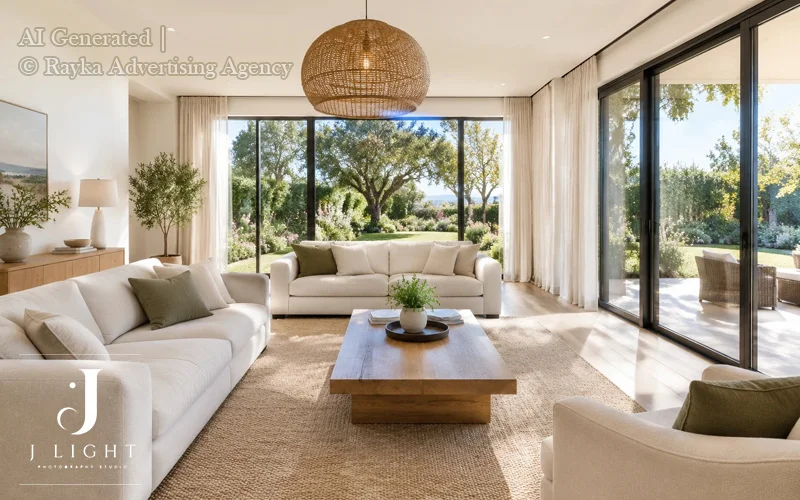
Natural light helps your Airbnb listing photos look brighter, more inviting, and closer to how guests will experience the space. Before taking pictures, open curtains and blinds to let daylight into the room. Soft, diffused light is usually ideal because it reduces harsh shadows and creates a more balanced look.
Pay attention to the direction of your windows and how sunlight enters the room. If direct sunlight creates strong shadows or makes the windows appear completely white, try a different camera angle or photograph at another time. On your smartphone, adjust the exposure to balance the brightness inside the room with the view outside.
Also, avoid mixing warm indoor lighting with cool daylight when possible, as this can create uneven colours. The goal is to produce bright, natural-looking images without making the property appear different from reality.
3. Choose the Best Time of Day for Each Room
The best time to photograph each room depends on its window direction, sunlight, and surrounding buildings. Rather than photographing your entire property at once, plan your session around the rooms that receive the best natural light at different times of day.
For example, east-facing bedrooms often receive pleasant morning light, while west-facing living rooms may look better in the afternoon. These are general guidelines, so take a few test shots to find what works best for your property.
For balconies, patios, and gardens, aim for softer light in the early morning or late afternoon to avoid harsh shadows. Check the weather forecast before photographing outdoor spaces, especially during Canada’s changing seasons.
4. Shoot Straight and Keep Vertical Lines Straight
Keeping your camera level is essential for professional-looking Airbnb listing photos. When the camera tilts up or down, walls, doorframes, and kitchen cabinets can appear slanted, making the room look distorted. Position your camera at a comfortable height, keep it parallel to the walls when possible, and use your camera’s gridlines to maintain straight vertical and horizontal lines.
If you notice perspective distortion after taking a photo, use editing tools to correct it. However, avoid excessive adjustments that crop out important details or make the room look unnatural. Straight lines and balanced composition help potential guests understand the property’s actual layout and proportions.
5. Use Wide-Angle Photography Without Distorting the Space
Wide-angle photography helps capture more of a room in a single frame, making it especially useful for small apartments, condos, and compact bedrooms. However, using an excessively wide lens or the wrong shooting angle can make furniture look stretched and room dimensions appear misleading. Follow these tips to capture more of your space while keeping your photos realistic.
- Choose the Right Wide-Angle Lens: A suitable wide-angle lens can show more of a room without requiring you to stand too far back. If you’re using a smartphone, try its wide-angle setting, but check the edges of the frame for distortion before taking the final shot.
- Avoid Excessive Wide-Angle Effects: Ultra-wide lenses and fisheye effects can make walls curve and furniture appear unusually large or small. Use a moderate wide-angle setting whenever possible to maintain natural proportions.
- Keep Room Dimensions Looking Realistic: Position your camera carefully and avoid placing large furniture too close to the lens, where it may appear disproportionately big. Your photos should help guests understand the layout and available space rather than exaggerate the property’s size.
Review the edges of every wide-angle photo before adding it to your Airbnb listing. Straight walls, natural furniture proportions, and a clear view of the layout will make your images look more professional and trustworthy.
6. Find the Best Camera Angles for Small Spaces
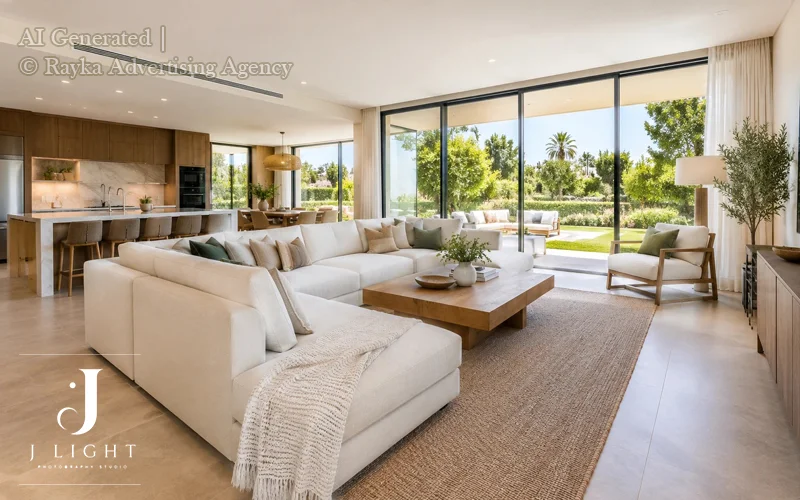
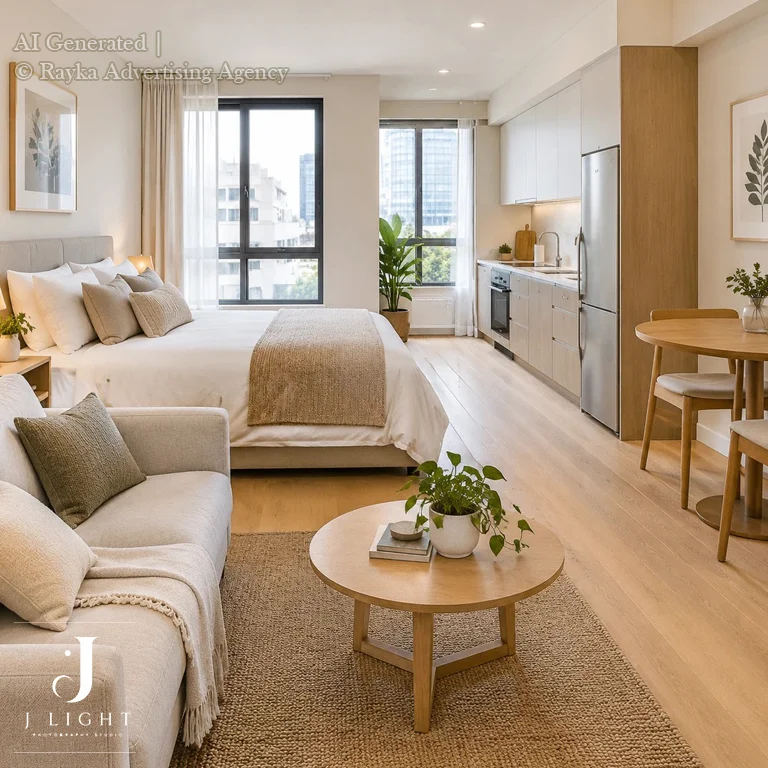
Photographing small apartments and condos requires careful composition. The right camera angle can make a room easier to understand without making it look larger than it really is. For better Airbnb listing photos, try shooting from a corner to show multiple walls and give viewers a clearer sense of the room’s layout.
Pay attention to what’s in the foreground. Large sofas, chairs, or tables placed too close to the camera can block the view and make a small room feel crowded. Move around the space until you find an angle that shows the furniture arrangement, walking paths, and key features clearly.
In compact rentals, clarity matters more than exaggerating the available space. Keep vertical lines straight, avoid extreme wide-angle effects, and make sure potential guests can understand how the room is arranged. This approach creates more appealing, realistic photos that help set accurate expectations.
7. Stage Beds, Sofas and Dining Areas Carefully
Thoughtful staging helps your property look clean, comfortable, and ready for guests. Before taking photos, spend a few minutes arranging the main furniture and adding simple finishing touches. You don’t need expensive decorations; small adjustments can make a noticeable difference in your Airbnb photography.
- Make the Bed Look Inviting: Smooth out wrinkles, straighten the duvet, and arrange pillows neatly. Use clean, coordinated bedding that complements the room’s colour scheme without making the space look overly styled.
- Arrange Sofas and Dining Furniture: Straighten sofa cushions, organize throw blankets, and position dining chairs evenly around the table. Make sure furniture looks tidy and the arrangement allows guests to understand how the space can be used.
- Keep Accessories Simple and Consistent: Add a few carefully chosen items, such as a small plant, a neutral cushion, or a simple centrepiece. Avoid overcrowding surfaces with decorations that distract from the room or misrepresent the property’s actual setup.
8. Capture Every Important Room and Guest Area
A complete Airbnb photo gallery helps potential guests understand the property before booking. Make sure your listing photos cover every important room and area, including the bedroom, living room, kitchen, bathroom, and entrance. Each space should have at least one clear, well-composed photo that shows its layout and main features.
Don’t focus only on the most attractive rooms. If guests can access a laundry area, private entrance, patio, or shared space, include photos where relevant and clearly explain which areas are available to them. This helps guests understand what to expect and reduces confusion after arrival.
9. Highlight Amenities That Make Your Airbnb Different
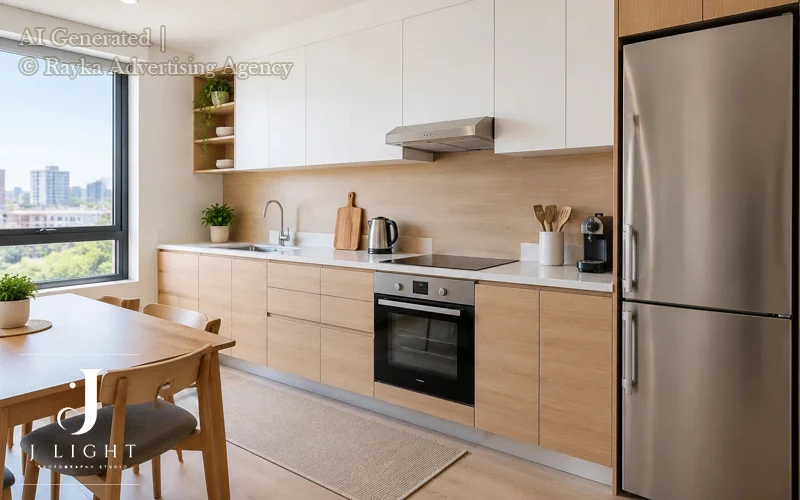
Your property’s amenities can help it stand out from similar Airbnb listings. Along with photographing the main rooms, showcase features that add comfort, convenience, or a memorable experience. Depending on your property, these might include a dedicated workspace, parking, a balcony, a fireplace, a hot tub, or well-equipped kitchen appliances.
Choose photos that clearly demonstrate how each amenity can be used. For example, show a workspace with a desk and chair, photograph a balcony in a way that reveals its seating area, or capture the kitchen appliances guests can use during their stay. Good Airbnb listing photos make these features easy to recognize rather than leaving guests to guess what is included.
Keep every image accurate and representative of the actual guest experience. Don’t imply that an amenity is private, available, or included if it isn’t. Clear, honest photos help attract guests whose needs match your property and build trust before booking.
10. Make Your Cover Photo Count
Your cover photo is often the first image potential guests notice when browsing Airbnb listings, so choose one that makes a strong first impression. Highlight the property’s most appealing feature, whether that’s a bright living room, a stylish bedroom, an attractive view, or a welcoming outdoor space. The best cover photo should look inviting while giving viewers an accurate idea of the property.
Avoid images that are blurry, too dark, cluttered, or framed so closely that viewers can’t understand the space. A clear, well-lit photo with a strong composition is usually more effective than an image filled with unnecessary details.
Before making your final choice, compare several options at a small size, similar to how photos appear in search results on a phone or computer. Ask yourself which image stands out immediately and communicates the property’s appeal most clearly.
11. Create a Photo Sequence That Tells a Story
A well-organized Airbnb photo gallery helps potential guests move naturally from an overview of the property to its individual rooms, amenities, and finishing details. Instead of uploading photos in the order you took them, arrange them to create a clear and easy-to-follow visual tour. Use these tips to organize your Airbnb listing photos effectively:
- Start with Your Strongest Images: Lead with your cover photo, followed by other compelling images that help guests understand the property’s overall appeal.
- Show the Layout Before the Details: Begin with clear, wider views of the main living areas, then move through the bedrooms, kitchen, bathrooms, and other spaces.
- Group Related Photos Together: Keep images of the same room or area next to each other so guests can understand its layout and features without jumping around the gallery.
- Highlight Important Amenities: After showing the main rooms, include useful features such as parking, a workspace, a balcony, laundry facilities, or outdoor seating.
- Finish with Helpful Details: Add close-up images of distinctive features, thoughtful touches, or amenities that may influence a guest’s decision.
- Remove Repetitive Images: Avoid including several photos that communicate exactly the same thing. Every image should provide new information or show a useful alternative view.
12. Use a Consistent Editing Style
Consistent photo editing helps your Airbnb listing look polished and professional. After taking your photos, make small adjustments to exposure, white balance, contrast, and colour so the images feel cohesive across the entire gallery. This is especially important when rooms receive different amounts of natural light or are photographed at different times of day.
Avoid excessive saturation, sharpening, or filters that make the property look unnatural. Brightening a dark image can help reveal details, but pushing the exposure too far may remove important textures or make windows appear completely white. Similarly, overly warm or cool colour adjustments can change how the space feels.
Most importantly, preserve the property’s real colours and features. Walls, flooring, furniture, and finishes should look as they do in person. Accurate Airbnb listing photos help guests form realistic expectations and build trust before booking.
13. Show Outdoor Spaces in Their Best Light
Outdoor areas can add significant appeal to an Airbnb listing, particularly when guests are looking for a place to relax or enjoy fresh air. If your property has a balcony, terrace, garden, patio, or outdoor seating area, make sure these spaces are clean, tidy, and ready to photograph.
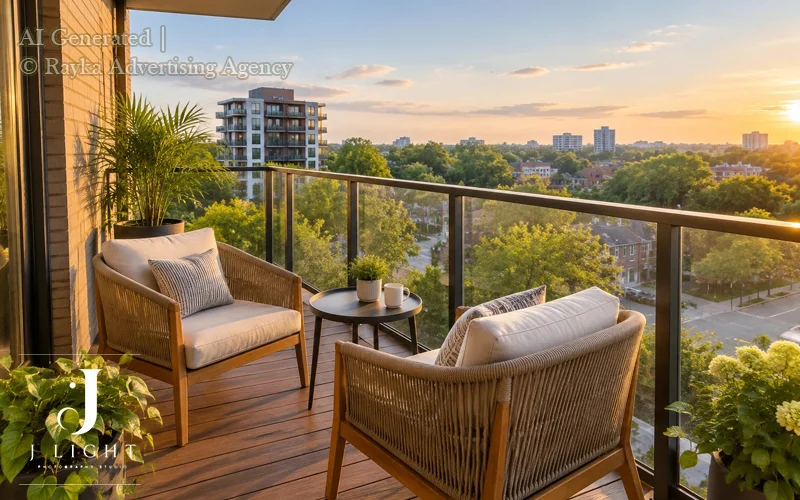
Arrange outdoor furniture neatly, remove clutter, and add simple touches such as clean cushions or a small plant where appropriate. Photograph the space when the lighting is flattering and the weather allows you to show it clearly. Soft morning or late-afternoon light often works well because it can reduce harsh shadows and create a more inviting atmosphere.
Choose images that communicate the size, layout, and actual condition of the outdoor space. If a balcony is compact or a garden is shared, show it honestly rather than using camera angles that exaggerate its dimensions or suggest exclusive access.
14. Add Helpful Photo Captions and Accessibility Details
Photo captions help potential guests understand details that may not be obvious from the images alone. Use short, informative descriptions to clarify how a space can be used, what amenities are included, or how different areas of the property are arranged. For example, you could mention the number of people a dining table accommodates, the type of bed in a bedroom, or a special kitchen feature, provided the information is accurate.
Accessibility details are particularly important for guests who need to assess whether a property suits their requirements. If applicable, describe features such as a step-free entrance, wide pathways, elevator access, or accessible bathroom facilities. Be specific and factual rather than relying on broad claims such as “fully accessible” unless the property genuinely meets the relevant needs.
Keep captions concise and make sure they match the photos and the property’s current features. Clear descriptions complement your Airbnb listing photos, answer common questions, and help guests make informed booking decisions.
15. Update Your Airbnb Photos When Your Property Changes
Your Airbnb listing photos should always reflect the property’s current appearance, layout, and amenities. Outdated images can create confusion and lead to mismatched expectations, even if the original photos were professionally taken.
Review your gallery periodically and replace images whenever important details change. Here are the main things to check when updating your Airbnb photos:
- New Furniture or Decor: Replace photos when you change beds, sofas, dining furniture, curtains, artwork, or other noticeable design elements.
- Renovations and Layout Changes: Update images after remodeling a kitchen or bathroom, repainting rooms, changing flooring, or rearranging the property’s layout.
- New or Removed Amenities: Add photos of new features guests can use, such as a workspace or upgraded kitchen equipment, and remove images of amenities that are no longer available.
- Seasonal Outdoor Spaces: Refresh photos of gardens, patios, balconies, and other outdoor areas when seasonal changes significantly affect their appearance or usability.
- Changes to Guest Access: Update images and captions if an entrance, shared area, parking arrangement, or accessible space changes.
- Worn or Outdated Features: Replace photos that no longer represent the property’s current condition, especially if furniture, finishes, or fixtures have visibly deteriorated.
Schedule a quick photo review after major property updates and before each busy booking season. Keeping your Airbnb listing photos current helps guests know what to expect and keeps your listing presentation accurate and trustworthy.
Common Airbnb Photography Mistakes to Avoid
Even attractive properties can lose potential bookings when their photos are unclear, misleading, or incomplete. Avoiding these common Airbnb photography mistakes helps you create a gallery that looks professional while giving guests a realistic understanding of the space.
- Using Dark or Blurry Photos: Poor lighting and camera shake can hide important details and make rooms feel uninviting. Use stable camera positioning, adequate light, and sharp, properly exposed images. Review every photo before uploading it.
- Making Rooms Look Larger Than They Really Are: Extreme wide-angle lenses and misleading camera angles can distort proportions. Use a moderate wide-angle setting and keep furniture and room dimensions looking natural.
- Photographing the Same Space From Too Many Similar Angles: Repetitive images take up valuable gallery space without adding useful information. Keep the strongest views and replace near-duplicates with photos that show different features or areas.
- Using Excessive HDR or Unrealistic Colour Correction: Overprocessed images can make colours look unnatural and remove realistic details. Adjust brightness and white balance carefully, keeping wall colours, finishes, and furniture true to life.
- Leaving Important Rooms or Amenities Out: Missing photos can leave guests uncertain about the property’s layout or facilities. Include all key rooms and highlight amenities that influence the guest experience.
- Showing Outdated Furniture or Amenities: Old photos may no longer match the property’s current condition. Replace them after renovations, furniture changes, or amenity updates.
- Using Decorative Staging That Misrepresents the Property: Excessive props or borrowed furniture can create unrealistic expectations. Keep staging simple and photograph the property as guests will actually find it.
Effective Airbnb photography isn’t about making a property look perfect at any cost. It’s about presenting it clearly, attractively, and honestly so guests can book with confidence.
Smartphone vs. Professional Airbnb Photography
A smartphone can take attractive Airbnb listing photos, especially when the property is tidy, well-lit, and straightforward to photograph. However, the right choice depends on the property’s features, your available time, and the quality your listing needs. Here’s how the two options compare.
| Factor | Smartphone Photography | Professional Photography |
| Cost | Low cost if you already own a phone | Higher upfront investment |
| Best for | Small, bright apartments and quick photo updates | Luxury rentals, complex layouts, and competitive listings |
| Lighting | Works well in simple lighting conditions | Better equipped to handle bright windows, dark interiors, and mixed lighting |
| Time | Requires your own preparation, shooting, and editing | Saves you time through an organized shoot and professional editing |
| Final result | Can produce good individual photos | Helps create a consistent, polished gallery |
If you’re photographing a bright studio or updating a few seasonal images, your smartphone may be all you need. But small rooms, strong window light, reflections, and mixed indoor lighting can make it difficult to capture balanced, natural-looking images.
There’s also a difference between taking a few acceptable photos and creating a cohesive gallery. Professional Airbnb photography combines consistent composition, controlled lighting, accurate colours, and thoughtful image sequencing.
For hosts who want to save time and present their property at its best, J Light Photography Studio offers a professional option for short-term rental photography in Ottawa, Montreal, and Toronto. Explore the J Light Studio’s Airbnb portfolio to see examples of its work and consider whether professional photography is the right investment for your listing.
When Should You Hire a Professional Airbnb Photographer?
While smartphone photography can work well for some properties, hiring a professional Airbnb photographer may be worthwhile when your current images don’t present your rental clearly or effectively. Professional photography can help showcase your property’s layout, features, and atmosphere through carefully composed, well-lit, and consistent images. Consider professional Airbnb photography if:
- Your Current Photos Don’t Show the Space Clearly: If rooms look dark, cramped, or difficult to understand, a professional can help capture the layout and proportions more effectively.
- Your Property Has Distinctive Design or Premium Amenities: Unique interiors, luxury finishes, large windows, and features such as fireplaces or hot tubs deserve thoughtful composition and lighting to communicate their appeal.
- You Manage Multiple Rental Properties: Consistent photography across several listings can create a more polished presentation and make it easier for potential guests to compare your properties.
- You Don’t Have Time for the Entire Process: Preparing rooms, planning shots, taking photographs, selecting the best images, and editing them can be time-consuming. Hiring a photographer lets you focus on managing your rental while the photography is handled professionally.
The goal isn’t simply to make your property look attractive. Quality Airbnb listing photos should also help potential guests understand the space, recognize its key amenities, and develop realistic expectations before booking. Although professional photography cannot guarantee more reservations, it can improve how your property is presented and help guests make more informed decisions.
Need professional Airbnb photography in Ottawa, Montreal, or Toronto? J Light Photography Studio can help you present your short-term rental with clear, cohesive, and professionally captured images. Contact J Light Photography Studio to discuss your property’s needs, get advice on your photography, and arrange a session.
Final Thoughts: Make Your Airbnb Listing Photos Work for You
Great Airbnb photography is about more than taking attractive pictures. It’s about helping potential guests understand your property, discover its best features, and know what to expect before they book. From using natural light and choosing the right camera angles to staging rooms and organizing your photo gallery, small improvements can make your listing look clearer and more professional.
If you manage your own photography, focus on accuracy, consistency, and showing every important space and amenity. When your property has challenging lighting, distinctive interiors, or multiple rooms that need a cohesive presentation, professional photography may be a worthwhile investment.
At J Light Photography Studio, we help short-term rental hosts present their properties through professional photography tailored to their spaces. Whether your Airbnb is in Ottawa, Montreal, or Toronto, the right images can help communicate what makes your rental special while giving potential guests a clearer understanding of the property.
FAQs
Soft, natural daylight is a good starting point. Open curtains, check the light in each room, and balance interior lighting carefully to avoid harsh shadows, colour casts, and blown-out windows.
Review your photos whenever furniture, décor, amenities, or the property’s condition changes. Update seasonal outdoor images when needed and replace photographs that no longer match what guests will find.
Pricing varies by property size, location, number of deliverables, and whether video or other services are included. Request a quote based on your property and review the photographer’s current package details.
Look for a photographer experienced in interior and short-term rental photography, review relevant property galleries, and confirm service area, deliverables, turnaround time, and pricing. J Light Photography Studio offers Airbnb photography services in Ottawa, Montreal, and Toronto.
Include enough high-quality photos to cover every important room, guest area, and major amenity without overwhelming viewers with repetitive images. Focus on giving potential guests a clear understanding of the property’s layout, sleeping arrangements, and features rather than aiming for a specific number.
Whenever possible, photograph the property when it is clean, tidy, and free of personal belongings. An unoccupied space is generally easier to stage and photograph consistently. If the property is occupied, schedule the shoot after guests have checked out and allow enough time for cleaning and preparation.
Most Airbnb property photos work best when they focus on the space, layout, and amenities. People are not usually necessary, but a carefully composed lifestyle image may help communicate how an outdoor dining area or shared space can be used. If you include people, make sure they do not obscure important features or misrepresent the property’s size, privacy, or intended use.