
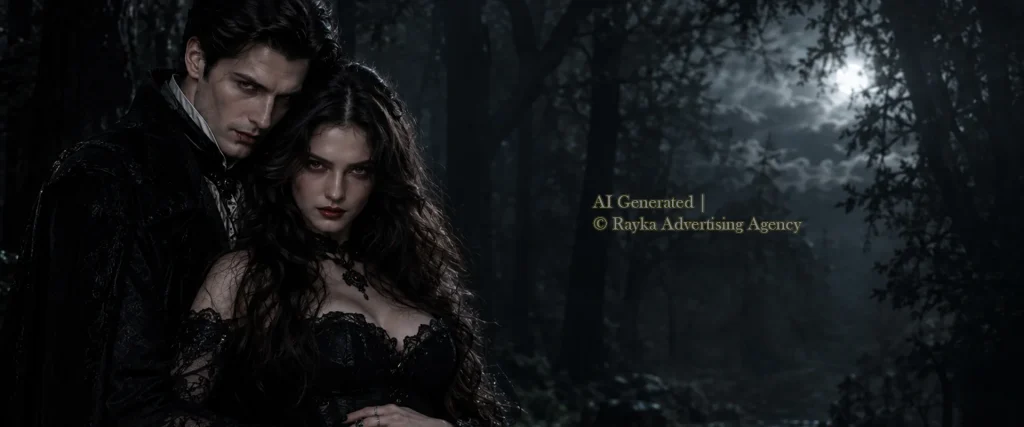
Halloween Photography Tips can help you capture spooky portraits, creative costume photos, and atmospheric nighttime images that stand out. With the right lighting, thoughtful composition, and suitable camera settings, you can create memorable Halloween photos without relying on expensive equipment or complicated setups.
Whether you’re photographing Halloween costumes, glowing jack-o’-lanterns, family celebrations, or dramatic portraits, a few simple techniques can make a noticeable difference. In this guide, you’ll learn how to improve your Halloween photography with a professional camera or smartphone, work with low light, and create images that capture the spirit of Halloween.
1. Choose the Right Lighting for Halloween Photography
Lighting plays a major role in Halloween photography because it shapes the mood, highlights important details, and transforms an ordinary scene into something spooky, mysterious, or cinematic. The right Halloween lighting techniques can help you capture dramatic shadows, glowing pumpkins, detailed costumes, and expressive portraits, even in low-light conditions. Whether you’re planning a scary photoshoot or cheerful family portraits, understanding how to control light will help you create more engaging images.
Use Low-Key Lighting for Spooky Halloween Photos
Low-key lighting is one of the most effective techniques for creating spooky Halloween photos. It uses limited light and deep shadows to emphasize facial expressions, costumes, and selected details while keeping much of the background dark. Position a single light source to one side of your subject to create dramatic contrast, or use a soft light to reveal just enough detail in the face.
For a more cinematic effect, keep the background darker than the subject and avoid illuminating every part of the scene equally. However, make sure the shadows don’t hide important costume details or facial features. This approach works particularly well for horror-inspired portraits, gothic costumes, and mysterious Halloween scenes.
Experiment with Backlighting and Side Lighting
Backlighting and side lighting can add depth and atmosphere to Halloween photography. Backlighting places the light behind your subject, creating a glowing outline around the body, hair, costume, or decorative elements. It works especially well when photographing silhouettes, foggy scenes, and subjects wearing distinctive costumes.
Side lighting, on the other hand, illuminates one side of the subject while leaving the other in shadow. This technique emphasizes makeup textures, masks, facial expressions, and costume details. Try combining side lighting with a subtle fill light when you want a dramatic portrait without losing too much detail in the shadows.
Use Candles, Flashlights, and Colored Lights Creatively
Everyday light sources can help you create distinctive Halloween photos without complicated equipment. A flashlight placed below the face creates an unsettling effect because it produces unusual shadows, while warm candlelight can add a mysterious, old-fashioned atmosphere. You can also use red, purple, or green lighting to introduce a supernatural or cinematic mood.
Experiment with the distance and angle of each light source to control the intensity of the shadows. For example, place a flashlight near a prop or pumpkin to emphasize its texture, or position a colored light behind your subject to separate the costume from a dark background. When photographing children or working near flammable decorations, choose battery-powered candles and LED lights instead of open flames.
Balance Ambient Light and Flash
Balancing ambient light and flash helps you capture clear Halloween portraits without losing the atmosphere of the setting. Streetlights, porch lights, decorative bulbs, and glowing jack-o’-lanterns can add warmth and depth to your photos, while a flash helps illuminate your subject. Use these techniques to achieve a natural balance between the two light sources:
- Adjust the exposure to preserve background details: Set your exposure to retain the ambient light and atmosphere before adding flash. This helps prevent dark backgrounds from losing all their detail.
- Use a low-powered flash to illuminate your subject: Start with a low flash output and increase it gradually until your subject looks well-lit without appearing unnaturally bright against the background.
- Soften the flash for natural-looking portraits: Use a diffuser or bounce an external flash off a suitable surface to reduce harsh shadows and create more flattering light on faces and costumes.
- Match the lighting to your Halloween theme: For spooky Halloween portraits, preserve deeper shadows and stronger contrast. For cheerful family Halloween photos, use softer, more even lighting to keep faces, costumes, and expressions clearly visible.
- Review the background and subject separately: Check that your subject stands out without overpowering the surrounding lights. Adjust your camera exposure or flash power if the background looks too dark or the subject appears washed out.
The key to effective Halloween lighting is to control both light sources rather than relying on flash alone. This approach helps you create anything from dramatic, cinematic portraits to warm, colourful family photos.
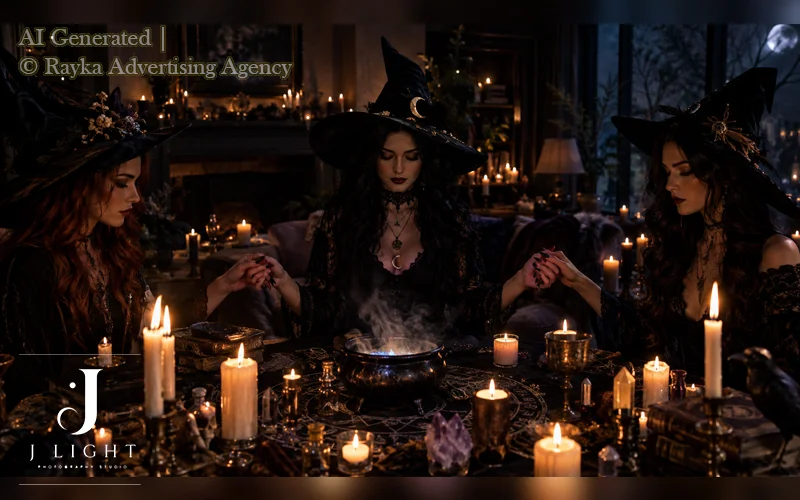
2. Use the Best Camera Settings for Halloween Photography
Choosing the right camera settings can make a significant difference when photographing Halloween costumes, nighttime scenes, and moving subjects. Low-light conditions often make it difficult to capture sharp images while preserving facial expressions, makeup, and costume details. The best Halloween photography settings depend on your lighting conditions, subject movement, and desired creative effect, but understanding shutter speed, ISO, and aperture will help you get more consistent results.
Choose the Right Shutter Speed for Moving Subjects
Shutter speed determines how long your camera sensor captures light. A faster shutter speed freezes movement, while a slower speed can introduce motion blur.
This distinction is particularly important when photographing children trick-or-treating, people posing in flowing costumes, or subjects moving through a Halloween scene. Use these guidelines to choose a suitable shutter speed for different situations:
- For stationary Halloween portraits: Start around 1/125s and adjust according to your lens, lighting, and subject movement.
- For children and moving subjects: Try 1/250s or faster to reduce motion blur. Fast-moving subjects may require 1/500s or higher.
- For creative motion effects: Experiment with slower shutter speeds when you intentionally want to capture movement, such as swirling costumes or moving lights. A tripod can help keep stationary parts of the scene sharp.
If your photos look blurry, check whether the subject moved during the exposure or whether camera shake caused the problem. Increasing shutter speed can help, but you may need to compensate with a wider aperture or higher ISO to maintain proper exposure.
Adjust ISO for Nighttime Halloween Photography
ISO controls how sensitive your camera’s imaging system is to light. Raising ISO helps you photograph Halloween scenes in darker environments, but higher settings can introduce visible image noise and reduce fine detail.
The goal is to use an ISO setting that allows you to maintain a suitable shutter speed without sacrificing too much image quality. Consider these practical ISO tips for low-light Halloween photography:
- Start with a low ISO in bright conditions: Use ISO 100–200 when there is plenty of available light.
- Increase ISO as the light fades: ISO 400–800 can be a useful starting range for indoor scenes or evening portraits.
- Use higher ISO settings when necessary: ISO 1600 or above may help when photographing moving subjects in very dark environments. The acceptable level depends on your camera and the final image size.
- Avoid underexposing the image excessively: Brightening a very dark photo during editing can reveal more noise and make costume details harder to recover.
For example, when photographing children outdoors on Halloween night, a slightly noisy but sharp image is often more useful than a clean image with motion blur. Review your camera’s results at different ISO settings to find the best balance between detail and exposure.
Use a Wide Aperture for Blurred Backgrounds
Aperture controls the size of the lens opening and affects both exposure and depth of field. A wider aperture, represented by a smaller f-number such as f/1.8 or f/2.8, lets in more light and can create a soft, blurred background. This effect helps separate your subject from distracting decorations, colourful lights, and busy Halloween environments.
Use a wide aperture when photographing individual portraits, costume details, or dramatic close-ups. However, if you are photographing a group of people, a very wide aperture may leave some faces out of focus. Try f/4 or f/5.6 as a starting point for groups, adjusting the setting based on the available light and the distance between subjects.
For the best results, focus carefully on the subject’s eyes when taking portraits. You can also position your subject farther away from the background to create stronger separation without relying entirely on an extremely wide aperture.
When to Use Manual Mode or Night Mode?
Manual mode and Night mode offer different advantages, depending on your camera and the type of Halloween scene you want to photograph. Manual mode gives you direct control over shutter speed, aperture, and ISO, while Night mode on many smartphones and cameras automatically combines multiple exposures or adjusts processing to improve images in low light. Choose the mode that best suits your situation:
- Use Manual mode for controlled portraits: It is helpful when you want consistent exposure across multiple photos or need to balance ambient light with flash.
- Use Aperture Priority for portraits: This mode lets you choose the aperture while the camera adjusts shutter speed, making it useful when controlling background blur is your main priority. Monitor the shutter speed to prevent motion blur.
- Use Night mode for stationary scenes: It can capture more detail in dim environments, especially when photographing pumpkins, decorations, or buildings.
- Avoid slow Night mode exposures for fast-moving subjects: Children and people in motion may appear blurred because the camera needs more time to collect light or combine exposures.
- Use a tripod when appropriate: Stabilization helps when photographing static subjects with longer exposures, but it cannot freeze a moving person.
If you are using a smartphone, tap your subject to focus and adjust exposure when the camera allows it. For dramatic Halloween photos, lowering exposure slightly can preserve the atmosphere of bright lights and dark surroundings, but avoid making the main subject too dark to see.
Recommended Camera Settings for Different Halloween Scenes
The best camera settings for Halloween photography vary with the subject and lighting conditions. Use the following recommendations as starting points, then review your images and make adjustments based on the results.
| Halloween photography scenario | Suggested starting settings |
| Stationary portrait in low light | 1/125s, f/2.8, and ISO adjusted to the available light |
| Children or moving subjects | 1/250s or faster, a suitable aperture, and higher ISO if needed |
| Glowing jack-o’-lantern | Tripod, slower shutter speed, and low ISO; adjust exposure to retain the glow |
| Family photos outdoors at dusk | Around 1/250s for active subjects, with ISO adjusted to the light and fill light if needed |
| Dramatic close-up portrait | 1/125s or faster, a wide aperture such as f/1.8–f/2.8, and carefully controlled exposure |
| Group Halloween portrait | Around 1/125s or faster, f/4–f/5.6 as a starting point, and sufficient light to keep everyone in focus |
These settings are not fixed rules for every camera or situation. A lens with image stabilization may help reduce camera shake, but it will not freeze moving subjects. Similarly, a tripod allows longer exposures for stationary scenes, while portraits of active children generally require faster shutter speeds. Adjust your settings according to the available light, camera capabilities, and creative effect you want to achieve.
3. Master Composition for Better Halloween Photos
Good composition helps transform ordinary Halloween snapshots into creative, professional-looking images. By controlling where your subject appears in the frame, how the background supports the scene, and which details attract attention, you can create more engaging Halloween portraits and costume photos. These composition techniques work for both professional cameras and smartphones, whether you’re photographing individuals, couples, or families.
Use the Rule of Thirds and Negative Space
The rule of thirds helps you create balanced, visually interesting Halloween photos. Imagine dividing your frame into a three-by-three grid, then position your subject near one of the grid’s intersection points instead of placing them directly in the centre every time. This approach works particularly well when you want to include pumpkins, autumn foliage, or atmospheric backgrounds.
Negative space refers to the relatively empty area surrounding your subject. Leaving space around a person in a dark costume can create a sense of mystery, while placing a subject to one side of the frame can make room for shadows, decorations, or coloured lighting. Use the composition to support the mood rather than filling every part of the image with props.
Make Costumes and Makeup Stand Out
Costumes and makeup often carry the visual story of a Halloween photo, so your composition should highlight their most distinctive details. Position your subject against a background that contrasts with the costume, and use directional lighting to reveal textures, patterns, masks, and makeup. For example, a black costume may stand out more clearly against a softly illuminated grey wall than against an equally dark background.
Pay attention to small details that can distract from the main subject. Move bright decorations away from the edges of the frame, check that branches or other objects do not appear to grow out of someone’s head, and make sure important costume elements remain visible. For close-up Halloween portrait photography, focus on the eyes and facial details when appropriate, while keeping the character’s makeup and accessories within the frame.
Use Foreground Elements to Create Depth
Foreground elements can make Halloween photos feel more immersive by adding layers between the camera and the main subject. Decorations such as pumpkins, dried leaves, branches, and cobweb-inspired props can frame a portrait or create the impression that the viewer is looking into a Halloween scene. Place these elements carefully so they add atmosphere without covering the subject’s face.
Try photographing through a slightly out-of-focus foreground object to create depth and a cinematic look. You can also position pumpkins near the bottom corners of the frame or use a doorway to naturally frame a costumed subject. Keep the main subject in focus and use a suitable aperture to control how much detail appears in the foreground and background.
Try Different Camera Angles for Dramatic Results
Changing your camera angle can alter how a Halloween subject appears and how viewers interpret the scene. A low angle can make a character look powerful or intimidating, while a slightly elevated angle may create a more playful or approachable portrait. Shooting at eye level usually works well for natural family portraits because it helps viewers connect with the people in the image.
Experiment with these angles rather than photographing every subject from the same standing position. For a dramatic costume portrait, try moving closer to the ground and positioning the subject against a simple background. For children, lower your camera to their eye level to capture expressions and costume details without making them look lost in the frame.
Capture Both Portraits and Full-Costume Shots
A strong Halloween photoshoot should include a variety of compositions rather than relying on close-up portraits alone. Close-ups reveal makeup, facial expressions, masks, and accessories, while wider shots show the complete costume and how the subject interacts with the setting.
Capturing both types gives you a more complete visual story and creates greater variety when selecting your favourite images.Use this simple shot list to make the most of your session:
- Close-up portraits: Focus on facial expressions, makeup, masks, and distinctive accessories.
- Waist-up portraits: Show the upper part of the costume while keeping attention on the subject’s face.
- Full-body photos: Include the complete outfit, footwear, props, and overall silhouette.
- Environmental portraits: Step back to show the subject within a decorated room, outdoor setting, or atmospheric Halloween scene.
- Candid shots: Capture natural interactions, laughter, and movement to balance more carefully posed images.
Before finishing the photoshoot, review your images to check that you have captured both the small details and the overall look. Combining close-ups, full-costume photos, and environmental portraits creates a more varied collection of Halloween images without requiring complicated equipment or elaborate setups.
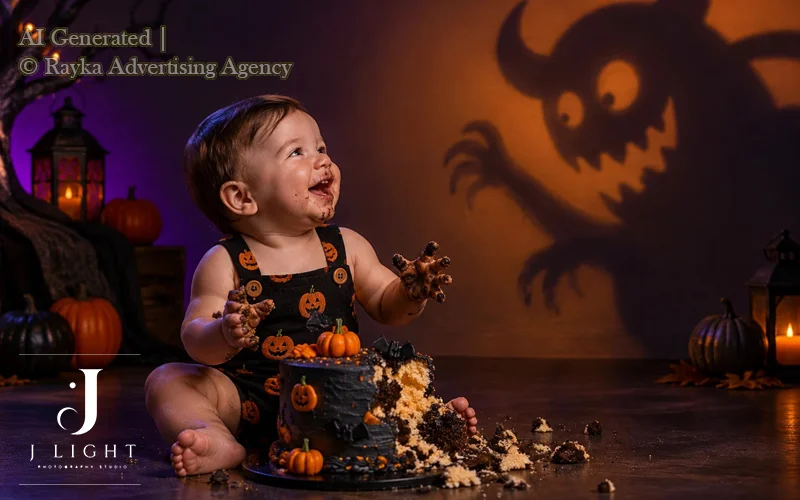
4. How to Take Great Halloween Photos at Night
Nighttime creates the perfect atmosphere for Halloween photography, with glowing pumpkins, autumn leaves, dimly lit streets, and dramatic shadows adding character to your images. However, low light can make it difficult to capture sharp photos while preserving the details of costumes and facial expressions. With the right camera settings, thoughtful positioning, and careful use of available light, you can take striking Halloween photos outdoors without losing the atmosphere of the scene.
Shoot During Blue Hour for Atmospheric Photos
Blue hour is the period shortly before sunrise or after sunset when the sky takes on a soft blue tone. This natural light creates an atmospheric background for Halloween portraits and helps balance the brightness of illuminated decorations with the surrounding environment. It is particularly useful for photographing people in costumes, pumpkin displays, and autumn landscapes.
Plan your photoshoot around sunset so you can capture the changing light before the sky becomes completely dark. Expose for your subject while preserving the blue tones in the sky, and use a reflector or gentle fill light if the face looks too dark. Blue hour also works well for family portraits because it provides a softer background than harsh artificial lighting.
Use Porch Lights and Streetlights to Your Advantage
You don’t always need professional lighting equipment to take great Halloween photos at night. Porch lights, streetlights, illuminated windows, and outdoor decorations can serve as practical light sources that add atmosphere while helping you reveal your subject. Look for locations where the light falls naturally across the face or costume without creating distracting shadows.
Try positioning your subject slightly to one side of a porch light rather than directly beneath it. This can produce more flattering directional lighting and add depth to the portrait. If a streetlight creates harsh shadows, move your subject to a nearby area with softer illumination or use a small LED light to fill the darkest areas.
Avoid Motion Blur in Low-Light Conditions
Motion blur is a common challenge when photographing Halloween activities at night. Your camera needs enough exposure time to capture the available light, but a slow shutter speed can blur children walking between houses, people posing in flowing costumes, or families enjoying Halloween celebrations. Use these techniques to keep your nighttime Halloween photos sharp:
- Choose a faster shutter speed: Start around 1/250s for moving subjects and increase it to 1/500s or faster when capturing quick movements.
- Raise ISO when necessary: If the image becomes too dark at a fast shutter speed, increase ISO to capture more usable light without slowing the exposure.
- Use continuous autofocus: When your camera offers it, continuous autofocus can help track moving subjects and maintain focus as they move.
- Anticipate the action: Ask your subject to pause briefly for a portrait or photograph movement when the person reaches a well-lit area.
- Use image stabilization appropriately: Stabilization can reduce camera shake, but it cannot freeze a moving subject. You still need a suitable shutter speed for action shots.
For example, when photographing children trick-or-treating on a dimly lit street, prioritize a sharp image over an extremely low ISO. A little image noise is often preferable to losing the expressions and costume details that make the moment memorable.
Use a Tripod When Photographing Static Subjects
A tripod helps you capture sharp nighttime photos when your subject and the surrounding scene remain still. It allows you to use slower shutter speeds and lower ISO settings, which can improve image quality when photographing Halloween decorations, empty streets, illuminated porches, and pumpkin displays.
Set up your tripod on stable ground and use a timer or remote shutter release to reduce camera shake when taking the picture. If your camera or lens offers image stabilization, check the manufacturer’s guidance on using it with a tripod, as the recommended setting can vary by equipment.
Remember that a tripod does not freeze movement. If a person walks through the frame during a long exposure, they may appear blurred even when the camera remains perfectly still. For portraits of people, choose a shutter speed that suits their movement and add light when necessary.
Preserve the Glow of Jack-o’-Lanterns
Glowing jack-o’-lanterns can become the focal point of a Halloween photo, but their illuminated faces may lose detail if you expose the image incorrectly. The challenge is to retain the warm glow inside the pumpkin while capturing enough detail in its carved features and the surrounding scene. Follow these practical tips to photograph glowing pumpkins more effectively:
- Use a tripod and a slower shutter speed: For a stationary pumpkin, a longer exposure can capture the internal glow without requiring an unnecessarily high ISO.
- Lower exposure when highlights look too bright: Use exposure compensation or manual settings to preserve detail in the brightest parts of the pumpkin.
- Avoid excessive ambient light: Bright nearby lights can overpower the pumpkin’s glow. Reduce competing light sources or reposition the pumpkin to make its illumination more noticeable.
- Focus on the carved details: Make sure the eyes, mouth, and other cut-out patterns remain clear rather than appearing as featureless bright areas.
- Include the surroundings thoughtfully: Add autumn leaves, porch steps, or a costumed subject to provide context, while keeping the pumpkin as the main visual element.
If you want to photograph a person beside a glowing pumpkin, you may need additional soft light on the person’s face. Take a test shot, check the brightness of both the face and pumpkin, and adjust the exposure or fill light until neither element overwhelms the other.
The most effective nighttime Halloween photos balance atmosphere with visibility. Use faster shutter speeds for moving subjects, a tripod for static scenes, and available light to create depth without sacrificing important details.
5. Halloween Photography Tips for Smartphones
You don’t need a professional camera to capture creative Halloween photos. Modern smartphones offer useful features such as Portrait mode, Night mode, exposure controls, and built-in editing tools that can help you photograph costumes, pumpkins, and Halloween celebrations. With a few simple adjustments, you can improve image quality, capture more detail in low light, and create spooky or cinematic photos using the phone you already own.
Use Portrait Mode for Halloween Portraits
Portrait mode helps separate your subject from the background by creating a soft, blurred effect. This works particularly well for Halloween costume photos, makeup details, and close-up portraits where you want the person’s face to remain the main focus.
- Keep your subject at a suitable distance: Follow your phone’s recommended distance for Portrait mode to achieve a more natural background blur.
- Choose a background that complements the costume: A simple wall, autumn foliage, or softly illuminated decorations can help the subject stand out.
- Check the edges of the portrait: Masks, hats, loose hair, and costume accessories can sometimes confuse the phone’s depth detection and produce unnatural edges.
- Adjust the blur if your phone allows it: Use a moderate effect to keep the portrait realistic rather than making the background look artificially blurred.
For full-body costume photos, step back far enough to include the entire outfit. If Portrait mode struggles with the costume’s edges or the available light is too low, switch to the standard Photo mode for a more reliable result.
Avoid Harsh Flash and Digital Zoom
Smartphone flash can create harsh highlights, deep shadows, and unnatural skin tones, particularly when your subject stands close to the camera. Digital zoom can also reduce image detail because it enlarges part of the image rather than capturing additional optical detail. Use these techniques to improve your results:
- Move closer instead of using digital zoom: When it is safe and practical, physically move closer to your subject to preserve image detail.
- Use available light whenever possible: Position your subject near a porch light, illuminated window, or soft LED light instead of relying on direct flash.
- Keep the camera lens clean: Wipe the lens with a soft, clean cloth to prevent smudges from creating haze around bright Halloween lights.
- Try your phone’s night flash or fill-light options carefully: If your phone offers them, compare the results and choose the setting that preserves both facial details and the surrounding atmosphere.
If you must use flash, take a test photo and check the subject’s skin, makeup, and costume highlights. The goal is to illuminate the person without making the background disappear into darkness.
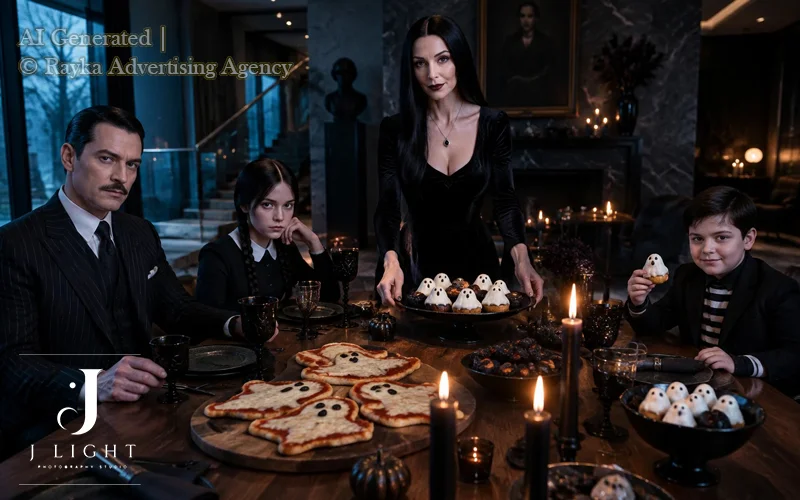
Tap to Focus and Adjust Exposure
Tapping to focus helps your smartphone identify the part of the scene that needs to appear sharp. Adjusting exposure lets you control how bright or dark the image looks, which is especially useful when photographing Halloween costumes against dark backgrounds or around glowing decorations. Follow these steps for more consistent results:
- Tap on your subject’s face: This helps the camera focus on the main subject, although the exact behaviour depends on your phone’s camera system.
- Adjust the exposure slider: After tapping, move the brightness control to prevent bright makeup, pale masks, or illuminated pumpkins from losing detail.
- Lock focus and exposure when available: On supported phones, a focus-and-exposure lock can prevent brightness or focus from changing unexpectedly while you compose the shot.
- Check highlights and shadows: Make sure the face remains visible and that bright decorations retain as much detail as possible.
For spooky portraits, slightly reducing exposure can preserve the mood of a dark scene. For family Halloween photos, keep faces bright enough to show expressions and costume details clearly. Take a few test shots because the ideal exposure depends on the available light and the effect you want to create.
Use Night Mode for Stationary Subjects
Night mode helps many smartphones capture more detail in dim environments by combining multiple frames or using longer exposures and computational processing.
It can work particularly well for glowing jack-o’-lanterns, Halloween decorations, illuminated houses, and portraits of people who can remain still. To get better results with Night mode, follow these tips:
- Keep your phone steady: Hold it with both hands or use a tripod to reduce camera movement during the exposure.
- Use Night mode for static scenes: It is especially useful when photographing decorations, pumpkins, and quiet outdoor settings.
- Be careful when photographing moving children: Longer exposures or multi-frame processing can create ghosting and motion blur when subjects move between frames.
- Switch to standard Photo mode for action: When photographing trick-or-treating or active children, use a mode that captures movement more quickly. Add available light if the image looks too dark.
For example, Night mode may capture the warm glow of a pumpkin beautifully, but it may blur a child running past it. In that situation, prioritize a faster capture and accept a little more image noise rather than losing the moment.
Take Advantage of Your Phone’s Editing Tools
Editing can help you refine Halloween photos after taking them, especially when the original scene contains mixed lighting or strong contrasts. You can improve exposure, reveal selected details, and strengthen the atmosphere without using complicated software. Start with these simple editing adjustments:
- Correct exposure and brightness: Lighten faces that appear too dark while keeping bright decorations from becoming distracting.
- Adjust contrast and shadows: Add contrast for dramatic portraits or lift shadows slightly when you need to reveal costume details.
- Enhance colours carefully: Bring out autumn oranges, deep reds, and purple tones without making skin or makeup look unnatural.
- Straighten and crop the image: Remove distracting background elements and improve composition while keeping important costume details within the frame.
- Apply filters sparingly: Choose an editing style that supports the mood of the photograph instead of relying on effects that hide details or make the image look artificial.
Always keep an original copy of your favourite photos before applying substantial edits. This gives you the flexibility to try different styles while preserving the original image.
With the right approach, smartphone Halloween photography can produce sharp, atmospheric, and memorable images. Use Portrait mode for individual portraits, Night mode for stationary scenes, and faster capture settings for moving subjects. Most importantly, pay attention to lighting and composition before editing, because a well-captured image usually needs fewer corrections.
6. Get Better Halloween Portraits with Creative Posing
Great Halloween portraits do more than show a costume; they communicate the character’s personality, mood, and story. With the right direction, you can help your subject look mysterious, playful, intimidating, or cinematic without relying on complicated poses. These Halloween photoshoot tips focus on guiding expressions, body language, and interactions to create portraits that feel intentional and authentic.
Direct Your Subject to Match the Halloween Character
Start by understanding the character your subject wants to portray, then use simple directions to bring that personality into the portrait. A mysterious character may look more convincing with a steady gaze and controlled movements, while a playful character may benefit from relaxed shoulders and an expressive smile.
Give clear, specific instructions instead of asking someone to pose naturally without guidance. Small adjustments to posture, head position, and eye direction can make a costume feel more believable and help communicate the intended mood.
Use Hands, Facial Expressions, and Body Language
Hands and facial expressions can transform an ordinary costume photo into a compelling Halloween portrait. Encourage your subject to interact with costume details, adjust an accessory, or use subtle hand movements that suit the character.
Ask them to experiment with different expressions, from a slight smirk to a serious stare, and check how each expression changes the overall mood. Pay attention to the shoulders, posture, and direction of the chin, as these details influence how confident, threatening, relaxed, or mysterious the subject appears.
Photograph Couples with Contrasting Characters
Couple portraits become more engaging when each person has a distinct character or emotional role. Before taking photos, decide how the two characters relate to each other and use their positioning, eye contact, and expressions to communicate that relationship.
For example, one person might face the camera confidently while the other looks toward them, creating visual tension without requiring exaggerated poses. Keep the interaction comfortable and natural, and capture several variations in which the subjects stand close together, look in opposite directions, or respond to each other’s expressions.
Capture Natural Expressions Instead of Only Posed Shots
Directed portraits create structure, but candid moments often reveal the personality behind the costume. Take photos while your subjects adjust their outfits, react to a funny moment, interact with friends, or prepare for the next pose. Rather than interrupting every movement to correct their position, give them a simple action and watch for expressions that feel genuine. Alternate between planned portraits and spontaneous frames to create a varied collection with both visual impact and emotional character.
If you need visual inspiration before planning a portrait session, explore our Scary Halloween Photography Ideas guide for spooky concepts and creative directions. Then use the techniques in this section to adapt your chosen concept to the subject’s personality, costume, and the mood you want to capture.
7. How to Photograph Kids in Halloween Costumes?
Photographing children in Halloween costumes requires a balance of good lighting, thoughtful timing, and a relaxed atmosphere. The best child photography captures a child’s personality while keeping the costume visible and allowing them to move comfortably. With a few practical adjustments, you can create memorable Halloween portraits without turning the photoshoot into a long or stressful experience
Choose the Right Time and Location
Plan the photoshoot when children usually feel energetic and comfortable, rather than when they need a nap or a meal. For younger children, natural daylight or the soft light shortly before sunset can make photography easier and reduce the need for additional equipment.
Choose a familiar, uncluttered location where children can move freely, such as a garden, porch, or living room with suitable lighting. If you plan to photograph them outdoors after dark, check the area for uneven ground, traffic, and other potential hazards before you begin.
Capture Natural Expressions and Movement
Children often show their personalities most clearly when they play, explore, or interact with someone they trust. Instead of asking them to hold the same pose repeatedly, invite them to walk, turn around, show a costume detail, or interact with a favourite prop.
Use a faster shutter speed when photographing active children to reduce motion blur, and take several frames to capture spontaneous smiles and expressions. Keep your directions simple and playful so children can enjoy the experience rather than feel pressured to perform.
Make Costumes Visible in Low Light
Halloween costumes can lose important details when you photograph children against dark backgrounds or under dim lighting. Position the child near a soft, steady light source, such as a porch light or an LED lamp, to illuminate the face and costume without creating harsh shadows.
If you use a camera, start with a relatively fast shutter speed for moving children and raise the ISO when necessary to maintain exposure. Avoid relying on strong, direct flash, which can create harsh highlights and distract children; instead, use soft, indirect lighting whenever possible.
Include Family Portraits and Candid Moments
A varied Halloween photo collection can include individual portraits, pictures with siblings, and relaxed family moments. Take a few planned group photos first, while everyone has the patience to look toward the camera, then capture natural interactions such as sharing treats or admiring each other’s costumes. For family portraits, arrange everyone so that faces remain visible and no costume completely hides another person. Alternate between close-up portraits and wider shots that show the full costumes and the setting.
For families who want to capture more seasonal memories, a Holiday Mini Session photoshoot offers a convenient way to create festive portraits without committing to a full-length photoshoot. These shorter sessions work well for family photos, children’s portraits, and coordinated seasonal outfits, making it easier to preserve special moments throughout the holiday season.
Keep the Photoshoot Comfortable and Safe
Children are more likely to enjoy photography when their costumes fit well, allow free movement, and do not obstruct their vision or breathing. Check that masks, hats, capes, and accessories do not slip, restrict movement, or create tripping hazards, and take breaks whenever a child feels tired or uncomfortable. Keep the session short and flexible, and let the child stop when they need a break. For Halloween lighting, choose battery-powered candles or LED lights instead of open flames, and keep electrical cables, hot lamps, and lighting equipment out of children’s reach.
A successful Halloween photoshoot prioritises the child’s comfort and safety as much as image quality. When children feel relaxed and can move freely, you have a better chance of capturing genuine expressions, visible costume details, and family memories worth keeping.
8. Use Props and Backgrounds to Tell a Halloween Story
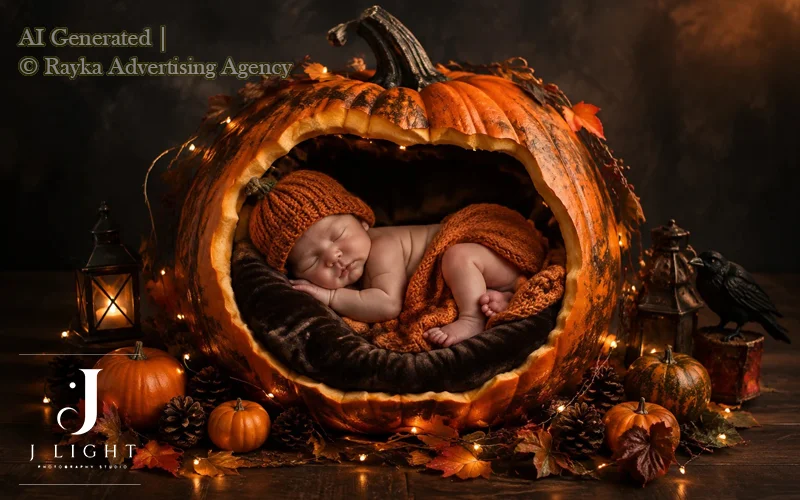
Thoughtfully chosen props and backgrounds can turn an ordinary Halloween photo into a scene with a clear mood and story. Rather than filling the frame with decorations, focus on a few elements that support the subject, complement the costume, and strengthen the atmosphere. These Halloween photography tips will help you arrange your scene with purpose while keeping the main subject in focus.
Choose Props That Match Your Theme
Choose props that make sense for the character or story you want to communicate. A simple accessory can help establish a theme more effectively than several unrelated decorations competing for attention. Consider the prop’s size, colour, texture, and position in the frame before adding it to the scene. Make sure it supports the subject rather than hiding the costume, covering the face, or distracting viewers from the main expression.
Create Depth with Pumpkins, Fog, and Textures
Layering foreground, middle-ground, and background elements gives Halloween photos a stronger sense of depth. Place a pumpkin or another suitable prop near the edge of the frame, position your subject in the middle ground, and use a textured wall, foliage, or subtle decorations behind them.
A shallow depth of field can soften background details while keeping the subject sharp. If you use artificial fog, keep it light enough to preserve visibility and avoid obscuring faces or important costume details; always use products according to their safety instructions.
Keep the Background Clean and Intentional
A carefully arranged background helps viewers focus on the subject and understand the scene. Before taking the photo, check the edges of the frame for distracting objects, bright spots, clutter, or decorations that appear to grow out of someone’s head.
Move unnecessary items, adjust your shooting angle, or increase the distance between the subject and the background to create better separation. You do not need an elaborate set; even a simple, uncluttered background can look atmospheric when it supports the lighting and composition.
Coordinate Costumes, Makeup, and Background Colours
Colours influence the mood of a Halloween portrait and determine how clearly the subject stands out from the surroundings. Choose a background that contrasts with important costume details when you want the outfit to attract attention, or use related colours for a more unified, cinematic look.
For example, warm orange accents can complement a pumpkin-themed scene, while cooler blue or green tones can create a more mysterious atmosphere. Check how makeup appears under your chosen lighting, since coloured lights can alter skin tones and hide details. Keep the palette consistent, but leave enough contrast between the subject and the background to make the costume easy to recognise.
The most effective Halloween scenes use props and backgrounds with intention. By controlling the number of elements, creating depth, and coordinating colours, you can build a distinctive visual story without overcrowding the frame or relying on an elaborate set.
9. Common Halloween Photography Mistakes to Avoid
Even with a great costume and an atmospheric setting, a few technical mistakes can reduce the quality of Halloween photos. The most common problems include motion blur, lost costume details, harsh flash, distracting backgrounds, and excessive editing. Understanding how to identify and correct these issues will help you capture sharper, more natural, and visually compelling images.
Using a Shutter Speed That’s Too Slow
A shutter speed that’s too slow can create motion blur when you photograph moving children, active subjects, or people posing outdoors at night. Choose a shutter speed that matches your subject’s movement, then adjust ISO or aperture to maintain proper exposure. For better results, use these starting points:
- Stationary portraits: Start around 1/125 second and adjust for your subject’s movement.
- Moving subjects: Try 1/250 second or faster, especially when photographing children.
- Fast action: Use 1/500 second or faster when you need to freeze quick movements.
If your photos still look blurry, check whether the subject moved during exposure or the camera shook. A tripod can reduce camera shake, but it cannot freeze a moving subject.
Losing Costume Details in Dark Shadows
Underexposed Halloween photos can hide important costume details, makeup, and facial expressions in deep shadows. Instead of making the entire scene brighter without checking the result, adjust the exposure to reveal the subject while preserving the atmosphere. Try these adjustments to improve visibility:
- Increase exposure carefully: Raise exposure compensation or adjust your manual settings until important details become visible.
- Add soft fill light: Use a nearby lamp, LED light, or reflector to brighten dark areas without eliminating the spooky mood.
- Check the highlights: Preserve the glow of pumpkins and decorative lights so they do not become featureless bright spots.
Review your images while shooting, especially when working in low light. A slightly brighter face and clearly visible costume details can make a significant difference without sacrificing the Halloween atmosphere.
Overusing Direct Flash
Direct flash can produce harsh shadows, shiny skin, flat backgrounds, and unnatural-looking colours, particularly in close-up Halloween portraits. Use softer lighting or reduce flash power to illuminate your subject without overpowering the surrounding environment.
Whenever possible, bounce an external flash off a suitable surface or use a diffuser to soften the light. If you photograph outdoors at night, balance the flash with ambient light so the background retains its atmosphere. When using a smartphone, try moving closer to an available light source instead of relying on the built-in flash.
Ignoring the Background
A distracting background can draw attention away from the subject, even when the costume, pose, and lighting look excellent. Before taking the shot, check the entire frame for clutter, bright objects, unwanted people, or elements that overlap the subject’s head. Make a few simple adjustments to improve the composition:
- Change your shooting angle: Move slightly to remove distracting objects from behind the subject.
- Increase subject-background separation: Position the subject farther from the background and use a wider aperture when appropriate.
- Simplify the scene: Remove unnecessary decorations and keep only the elements that support your Halloween theme.
A clean background helps the subject stand out and gives the image a more deliberate, professional appearance.
Applying Too Much Editing or Artificial Effects
Excessive editing can make Halloween photos look unnatural by exaggerating colours, crushing shadows, smoothing skin, or adding effects that compete with the subject. Start with basic corrections and make sure the image still looks believable before adding creative effects.Follow a restrained editing approach:
- Correct exposure and white balance: Make faces, costumes, and important details visible while maintaining the intended mood.
- Adjust contrast and colour selectively: Strengthen the Halloween atmosphere without making skin tones or costume colours look unrealistic.
- Use artificial effects sparingly: Add fog, glow, or dramatic colour grading only when they support the scene.
- Keep an original copy: Save the unedited image so you can revisit your adjustments without losing the original.
The goal of Halloween photo editing is to strengthen the mood captured in camera, not to hide every technical problem with filters. Subtle, consistent adjustments usually produce more convincing results than heavy effects.
10. Edit Halloween Photos for a Cinematic Look
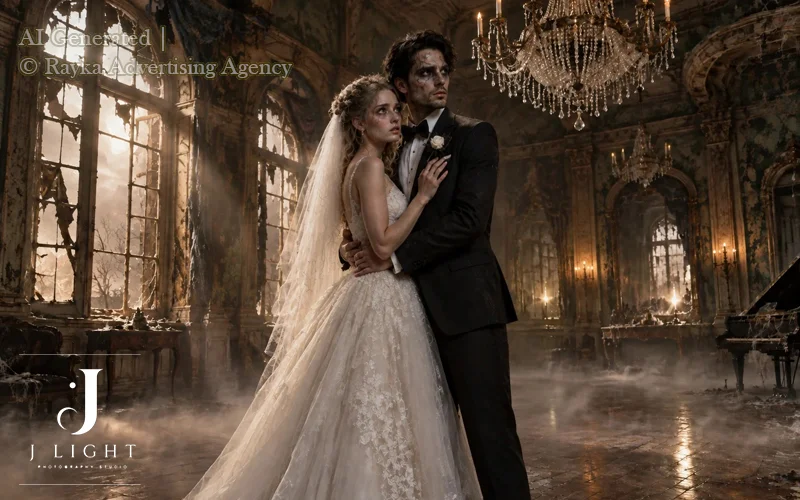
Halloween photo editing helps you create a cinematic atmosphere by refining light, contrast, and colour after capturing the image. Instead of relying on heavy horror filters, focus on adjustments that strengthen the mood while preserving important details in costumes, makeup, and facial expressions. A balanced editing process can make your Halloween photography look more polished without making the final image feel artificial.
Adjust Exposure, Contrast, and Shadows
Start by correcting exposure so your subject remains visible without losing the atmosphere of a dark Halloween scene. Increase contrast slightly to create more separation between highlights and shadows, but avoid pushing dark areas so far that costume details disappear. If the image looks too dark, lift the shadows selectively while keeping areas such as candlelight and glowing pumpkins under control.
Make small adjustments and compare the edited image with the original. This approach helps you retain the dramatic lighting that makes Halloween photos distinctive.
Enhance Halloween Colours Without Oversaturation
Halloween photography often features orange, red, purple, green, and deep blue tones. You can enhance these colours through selective saturation and vibrance adjustments rather than applying a strong filter to the entire image. For example, emphasize the orange glow of a pumpkin or the purple light in the background while keeping skin tones and neutral costume details realistic.
Avoid excessive saturation, which can make makeup look unnatural and cause bright colours to lose texture. Aim for a colour balance that supports the scene’s mood instead of distracting viewers from the subject.
Create a Consistent Colour Grade
A consistent colour grade gives your Halloween photos a unified visual style, especially when you capture several images during the same photoshoot. Choose a colour direction that matches your intended atmosphere, such as cool blue shadows for a mysterious scene or warm highlights for a vintage Halloween portrait. Apply similar adjustments to white balance, contrast, and colour intensity across the image set.
You do not need to make every photo look identical. Keep the overall visual style consistent while adjusting individual images to account for differences in lighting, costumes, and backgrounds.
Preserve Natural Skin Tones and Costume Details
A cinematic edit should enhance the atmosphere without sacrificing realistic skin tones, makeup textures, or costume details. Strong colour grading can introduce unwanted orange, green, or purple casts to faces, while excessive shadow adjustments can hide important features. Check the subject’s face, eyes, clothing, and accessories at a closer zoom before finalizing the image.
Use selective adjustments when one part of the photo needs more attention than the rest. If you add fog, glow, or other atmospheric effects, apply them carefully so they complement the original scene rather than overpower it.
The best Halloween photo editing combines mood with clarity. Refine the lighting and colours, maintain a consistent visual style, and preserve the details that make each portrait distinctive.
11. When to Choose a Professional Halloween Photoshoot
Personal Halloween photography works well for casual memories, family celebrations, and spontaneous costume photos. However, a professional Halloween photoshoot offers greater control over lighting, composition, creative direction, and the final image. If you want polished portraits with a specific atmosphere or a concept that requires more planning, working with a professional photographer can help you achieve your vision.
Professional Lighting and Creative Direction
Professional photographers use controlled lighting, suitable equipment, and thoughtful composition to bring Halloween concepts to life. They can shape shadows, highlight costume details, and balance dramatic effects with clear facial features. Creative direction also helps subjects feel more comfortable in front of the camera and express the personality of their characters through posing and expression.
These advantages matter when you want more than a simple costume snapshot. A planned photoshoot gives you greater control over the mood, visual consistency, and overall quality of your Halloween portraits.
Studio vs. Outdoor Halloween Photography
A studio photoshoot gives you a controlled environment where you can adjust lighting, backgrounds, and props without relying on changing weather or daylight. This setting works particularly well for dramatic portraits, detailed costumes, and concepts that require precise light placement. Outdoor Halloween photography, on the other hand, can incorporate real locations, natural textures, autumn foliage, and atmospheric evening light.
The right choice depends on your concept and the look you want to achieve. A studio offers consistency and creative control, while an outdoor session can add natural depth and a stronger sense of place. A professional photographer can help you choose the setting that best supports your vision.
Custom Halloween Portraits for Individuals, Couples, and Families
A professional Halloween photoshoot can reflect different personalities, relationships, and creative concepts. Individual portraits can emphasize character, makeup, and costume details, while couples can use contrasting characters or coordinated styling to create a visual story. Family sessions can capture shared costumes and natural interactions in a comfortable setting.
Custom direction helps each session feel personal rather than generic. By considering the subjects, costumes, preferred atmosphere, and intended use of the images, a photographer can create portraits that feel distinctive and meaningful.
Halloween Photography in Ottawa, Montreal, and Toronto
Choosing a photographer who serves your city makes it easier to plan a Halloween session around your preferred setting and creative goals. J Light Photography Studio offers Halloween photography options for clients in Ottawa, Montreal, and Toronto, with opportunities to explore concepts that suit individual portraits, couples, and families.
Whether you prefer a cinematic studio portrait or an atmospheric outdoor session, consider the visual style and experience you want before choosing your photoshoot. Reviewing the studio’s service page can help you explore the available creative options.
Want to turn your Halloween concept into professional portraits? Explore Halloween Photography at J Light Photography Studio and discover creative photoshoot options in Ottawa, Montreal, and Toronto.
Final Thoughts
The best Halloween photos combine creative ideas with thoughtful lighting, suitable camera settings, strong composition, and balanced editing. Whether you use a smartphone or a professional camera, understanding how to control light, capture natural expressions, and preserve important details can help you create spooky, cinematic, and memorable images.
Start with a clear concept, choose a setting that supports your vision, and experiment with different techniques to develop your style. If you want to take your Halloween portraits further, a professional photoshoot can help you bring your ideas to life with creative direction and carefully controlled lighting. Explore Halloween Photography at J Light Photography Studio to discover photoshoot options in Ottawa, Montreal, and Toronto.
FAQs
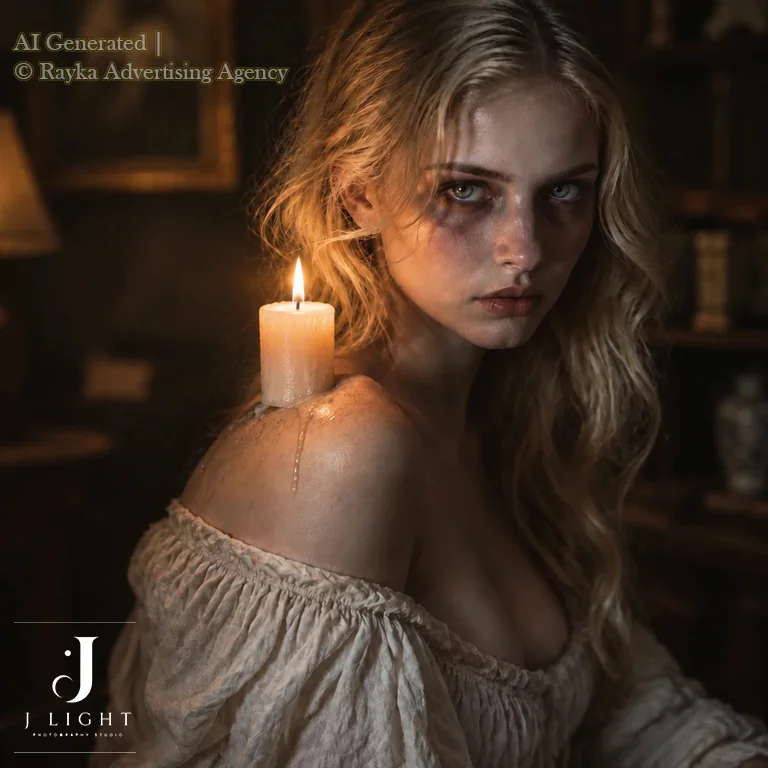
Blue hour works well for atmospheric outdoor Halloween photos because it provides soft, cool light. For indoor or studio portraits, controlled lighting allows you to create a spooky mood at any time of day.
Use side lighting or a subtle rim light to separate the costume from the background. Adjust exposure carefully to preserve the fabric’s texture without making the entire image too bright.
Use soft, directional lighting to reveal makeup textures, colours, and fine details. Focus accurately on the face and avoid excessive editing or strong filters that can obscure the original makeup design.
Create a cinematic look through intentional lighting, dramatic composition, controlled shadows, and a consistent colour grade. You can achieve striking results without artificial fog, digital overlays, or complicated effects.
Bring your costume, makeup essentials, and any props that support your concept. If you have a specific visual style in mind, share reference images with the photographer before the session.
Choose a clear concept, prepare your costume and makeup, and consider the mood you want your portraits to convey. Discuss your ideas with the studio beforehand so the photographer can plan the lighting, background, and creative direction.
Studio photography offers greater control over lighting, backgrounds, and atmosphere, while outdoor photography adds natural textures and environmental depth. The best option depends on your concept, costume, and preferred visual style.
Yes, a professional photographer can plan portraits around coordinated costumes, character themes, and natural interactions. A tailored session helps couples and families capture distinctive Halloween images that reflect their personalities.
Leave a Reply